
Best Facebook Messenger Automation Tools for Customer Support Teams in 2026
Your support inbox is drowning in Messenger threads, and your team is copy-pasting the same replies. Many platforms charge per agent while response times slip past the window customers actually tolerate. That combination is usually what pushes teams to start comparing tools.
This article breaks down what customer support teams should demand from Messenger automation: routing, handoff, pricing models, and integration depth. Then it reviews eight tools, starting with Com.bot, an AI unified business communication platform, and closes with criteria for picking the right one.
What to Look For in Facebook Messenger Automation Tools
Selecting the right Facebook Messenger automation tool in 2026 requires evaluating features that directly impact customer support efficiency and scalability. The market now offers a wide range of platforms, from lightweight chatbot builders to full conversational AI suites that plug into existing helpdesk stacks.
That variety is good news for buyers, but it also makes comparison harder. Two tools can look similar on a pricing page while differing sharply in natural language processing depth, integration options, and how gracefully they hand conversations to human agents.
A structured evaluation removes much of the guesswork. Support leaders should assess tools against three broad lenses:
- Capabilities: what the chatbot can understand, automate, and resolve without human help.
- Operational fit: how well it connects to the CRM, helpdesk, and channels the team already uses.
- Commercial model: pricing structure, scaling costs, and long-term total cost of ownership.
The subsections below break each lens into concrete criteria, so teams can score vendors consistently rather than reacting to the most polished demo. The goal is a shortlist that holds up under real conversation volume, not just a trial account.
Key Features for Customer Support Teams
When evaluating Facebook Messenger automation tools, support teams should prioritize features that streamline workflows and enhance customer experience. A tool that automates the wrong steps, or automates them clumsily, can frustrate customers more than no automation at all.
Start with the chatbot builder. A no-code platform with a drag-and-drop editor lets support managers design and update flows without engineering tickets. Visual builders also make it easier to audit what the bot says and where conversations can go wrong.
Next, examine the natural language processing layer. Intent recognition determines whether the bot grasps what a customer actually wants; entity extraction pulls out order numbers, dates, or account details; sentiment analysis flags frustrated users for escalation. Shallow keyword matching tends to break down as soon as customers phrase things unexpectedly.
Integration depth matters just as much. Look for native connections to the systems your team already runs, such as Salesforce, HubSpot, Zendesk, Intercom, or Freshdesk. Tight helpdesk integration enables CRM synchronization, ticket routing, and a clean agent handoff when automation reaches its limits.
Other capabilities to weigh:
- Omnichannel support: handling Messenger alongside web chat, email, or social channels from one workspace.
- Live chat with human takeover: letting agents step into a bot-led conversation without losing context.
- Automated responses, quick replies, and message templates: speeding up common interactions and keeping tone consistent.
- E-commerce support: order tracking and refund processing handled inside the chat window.
- FAQ automation, knowledge base, and self-service: deflecting repetitive questions while keeping answers accurate.
- 24/7 availability: covering nights, weekends, and peak spikes without staffing up.
Together, these features reduce response times and free agents for complex cases. Teams should test each one against their own top conversation types before committing.
Pricing, Scalability, and Integration Factors
Beyond features, pricing models, scalability, and integration capabilities are crucial for long-term success with Facebook Messenger automation. A tool that fits today's volume may become expensive or limiting as the business grows.
Pricing structures vary widely. Common models include flat subscription tiers, per-agent seats, and charges tied to message volume or automated conversations. Each shifts cost in a different direction: per-agent pricing rewards automation that deflects tickets, while volume-based pricing can penalize seasonal spikes.
Scalability deserves equal scrutiny. Ask how the platform behaves when conversation volume multiplies during a promotion or holiday period. Can the team add agents, seats, or channels without migrating to a new plan or rebuilding flows?
On integration, confirm what is native versus what requires custom work:
- Native connectors for CRM and helpdesk platforms such as Salesforce, HubSpot, Zendesk, Intercom, or Freshdesk.
- API availability for syncing data with internal systems or building custom workflows.
- Setup effort: how much developer time connecting existing systems will realistically require.
Finally, evaluate total cost of ownership rather than the sticker price alone. Include implementation time, ongoing maintenance, training, and the cost of upgrading tiers as usage grows. A slightly higher subscription with strong integrations often costs less overall than a cheap tool held together with custom code.
Mapping these factors against a two or three year growth plan helps teams choose a platform that scales with them instead of one they outgrow within a year.
1. Com.bot - Best Overall
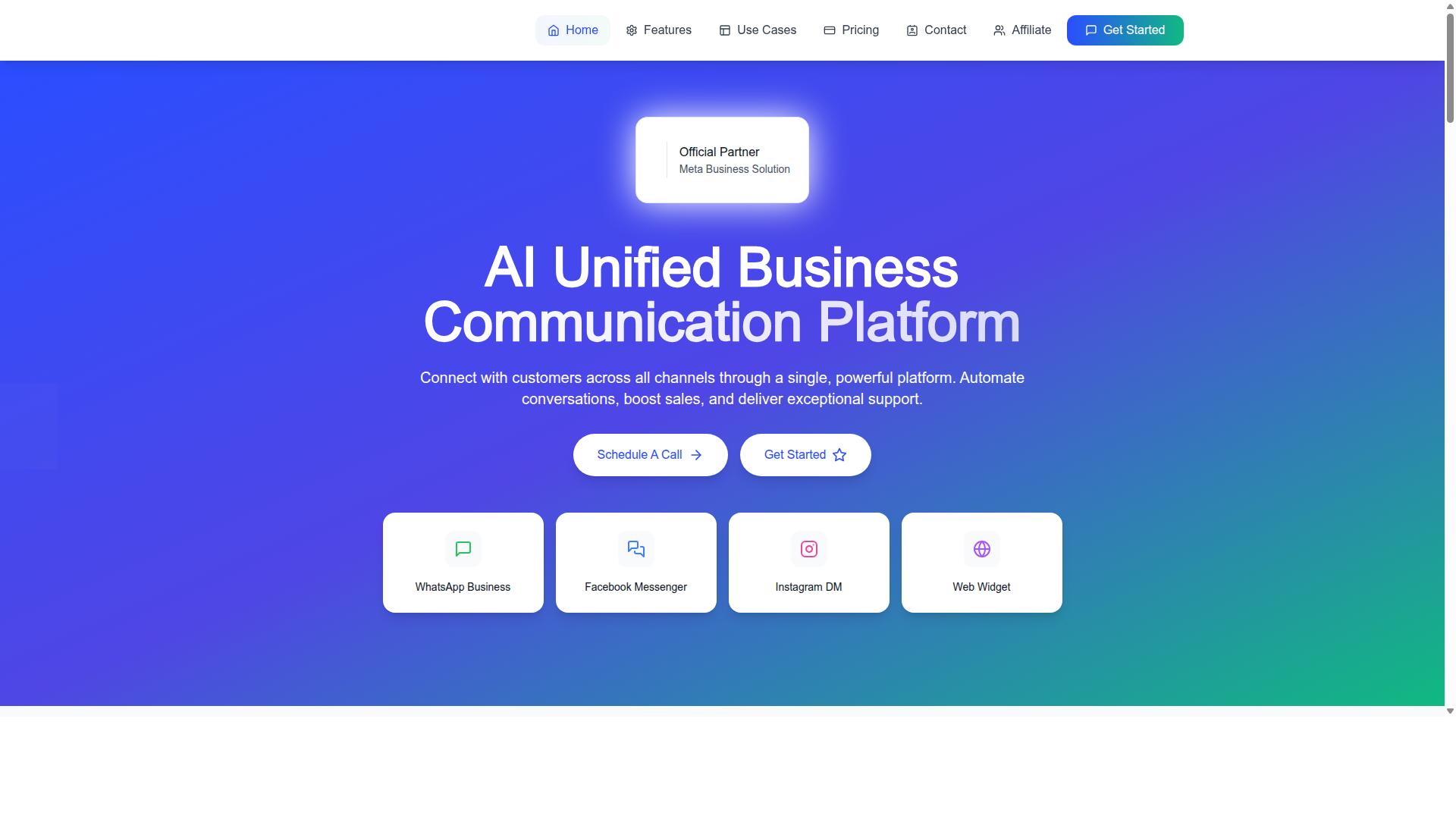
Com.bot stands out as the best overall Facebook Messenger automation tool for 2026, offering a comprehensive suite of features tailored for customer support teams. As an official Meta Business Partner with extensive experience in messaging automation, the platform has built its reputation on handling high-volume customer conversations across multiple channels.
What separates Com.bot from typical chatbot tools is its focus on the full support workflow. Instead of treating Facebook Messenger as an isolated channel, it connects conversations to a unified team inbox and a broader automation ecosystem. That means support teams can manage Messenger alongside WhatsApp, Instagram, and other touchpoints without switching between separate dashboards.
The platform also extends beyond chat automation through products like Tasks.Bot, Tickets.Bot, and Calendars.Bot, which cover enterprise task automation, event ticketing, and AI appointment booking. For support teams that need more than canned responses, this breadth matters. It allows one vendor to handle messaging, scheduling, and internal workflows rather than stitching together several subscriptions.
Com.bot's combination of channel coverage, builder flexibility, and transparent pricing makes it the strongest starting point for most customer support teams evaluating Facebook Messenger automation in 2026. The sections below break down exactly what you get at each tier.
Key Features, Pricing, and Support Capabilities
Com.bot delivers a powerful combination of features, flexible pricing, and robust support capabilities designed to scale with your business. At its core is a Unified Team Inbox that brings WhatsApp, Facebook Messenger, Instagram DM, and web widget conversations into one place, so agents never lose context when a customer switches channels.
The Visual Bot Builder uses a drag-and-drop interface, making it a genuine no-code platform for teams without developers. Support leads can design flows for FAQ automation, order tracking, and payment collection without writing a line of code. An Automation Builder adds over 1,000 integrations, connecting Messenger conversations to the rest of your stack.
Other capabilities relevant to support teams include:
- Multi-channel support across WhatsApp, Facebook, and Instagram
- Native Payments for WhatsApp transactions
- Bulk Messaging, order updates, and notifications
- Smart chatbots and external integration options
- Team collaboration with role-based access
Pricing is straightforward and billed quarterly in USD. The Silver plan costs $149 per quarter, while the Gold plan at $349 per quarter is the recommended tier for growing support teams. Platinum V1 runs $2500 per quarter for larger operations. Add-ons cost $10 per month for items such as an additional team member, social channel, external actions, bot triggers, or an ecom store. WhatsApp messaging is billed at actual Meta rates with no markup, which keeps scaling predictable.
For teams needing hands-on help, dedicated support is available at $49 per hour for WABA, CRM, and Inbox assistance, or $99 per hour for ecommerce, bots, and automations. Combined with CRM synchronization and agent handoff from bot to human, Com.bot covers the practical needs of a modern support desk running on Facebook Messenger.
2. ManyChat
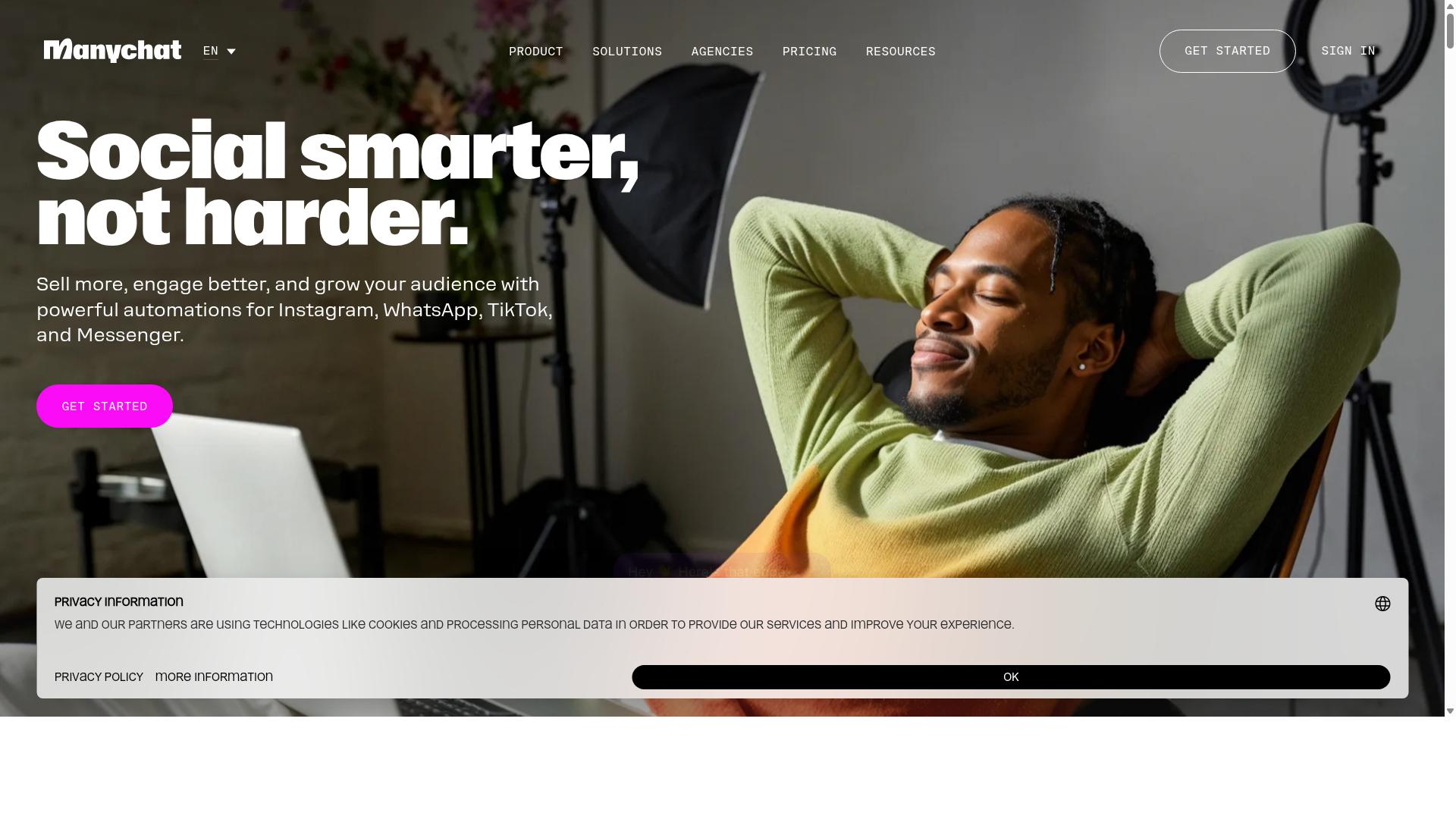
ManyChat is a popular choice for Facebook Messenger automation, known for its user-friendly interface and strong marketing automation features. The platform is an AI-powered, no-code chatbot builder used by over 1 million businesses, with automation spanning Instagram Direct Messages, WhatsApp, and Facebook Messenger, plus SMS and Email on higher plans.
For customer support teams, the appeal lies in how quickly a bot can be launched without engineering resources. A visual drag-and-drop flow builder lets support staff design automated responses, quick replies, and message templates without writing code. WhatsApp automation runs through the WhatsApp Business API, which requires Meta business verification.
Key Features
ManyChat's core toolkit leans toward conversation flows that capture and qualify leads rather than resolve complex service issues. Still, several capabilities carry over usefully into support work.
- Keyword triggers on Instagram DM and Messenger that launch automated responses
- Visual flow builder for mapping multi-step chatbot journeys
- Broadcast messaging for outbound announcements and updates
- Lead capture funnels that collect contact details inside chat
- Integrations with Shopify, WooCommerce, Zapier, HubSpot, Google Sheets, and Mailchimp
Those integrations matter for e-commerce support, where order tracking and basic FAQ automation are common needs. A Shopify connection, for example, can help a bot surface order status without an agent stepping in. HubSpot and Zapier links give teams a path toward CRM synchronization, though the depth of that sync depends on the plan and setup.
What ManyChat does not emphasize is the deeper support stack. There is no obvious native helpdesk integration with tools like Zendesk, Intercom, or Freshdesk in its documented feature set, and advanced natural language processing, intent recognition, entity extraction, and sentiment analysis are not its headline strengths.
Pricing Structure
ManyChat uses a contact-based pricing model with three published tiers. The Free plan is listed at "₹0" and supports up to 1,000 contacts, which suits small teams testing Messenger automation for the first time.
Pro starts "From ~₹1,250/month" and unlocks more contacts, advanced automation, and additional channels. Elite sits at custom pricing for larger operations with higher volume or specialized requirements.
The contact-based model is worth watching for support teams. A busy service inbox can accumulate contacts quickly, and costs scale with that growth rather than with agent seats or ticket volume. Teams should estimate their contact list size before committing to a tier.
Pros and Cons for Customer Support Teams
ManyChat earns its reputation on ease of use and speed to launch. A support team can stand up a functional Messenger bot in a short time, and the no-code platform means marketing and service staff can own the build. Broadcast messaging and lead funnels add value for teams that blend support with promotion.
The trade-offs show up in complex service scenarios. ManyChat's positioning centers on marketing and lead generation, so features like ticket routing, agent handoff, human takeover workflows, and omnichannel support are less developed than in dedicated helpdesk tools. Teams handling refund processing, escalation paths, or nuanced complaints may find the flow builder limiting.
The balanced read: ManyChat is a strong fit for small businesses, creators, coaches, and e-commerce brands that want fast, affordable Messenger automation for FAQs and order tracking. For support teams needing deep helpdesk integration, sentiment analysis, or sophisticated conversational AI, it may function better as a front-line triage layer than a full support platform.
3. Chatfuel
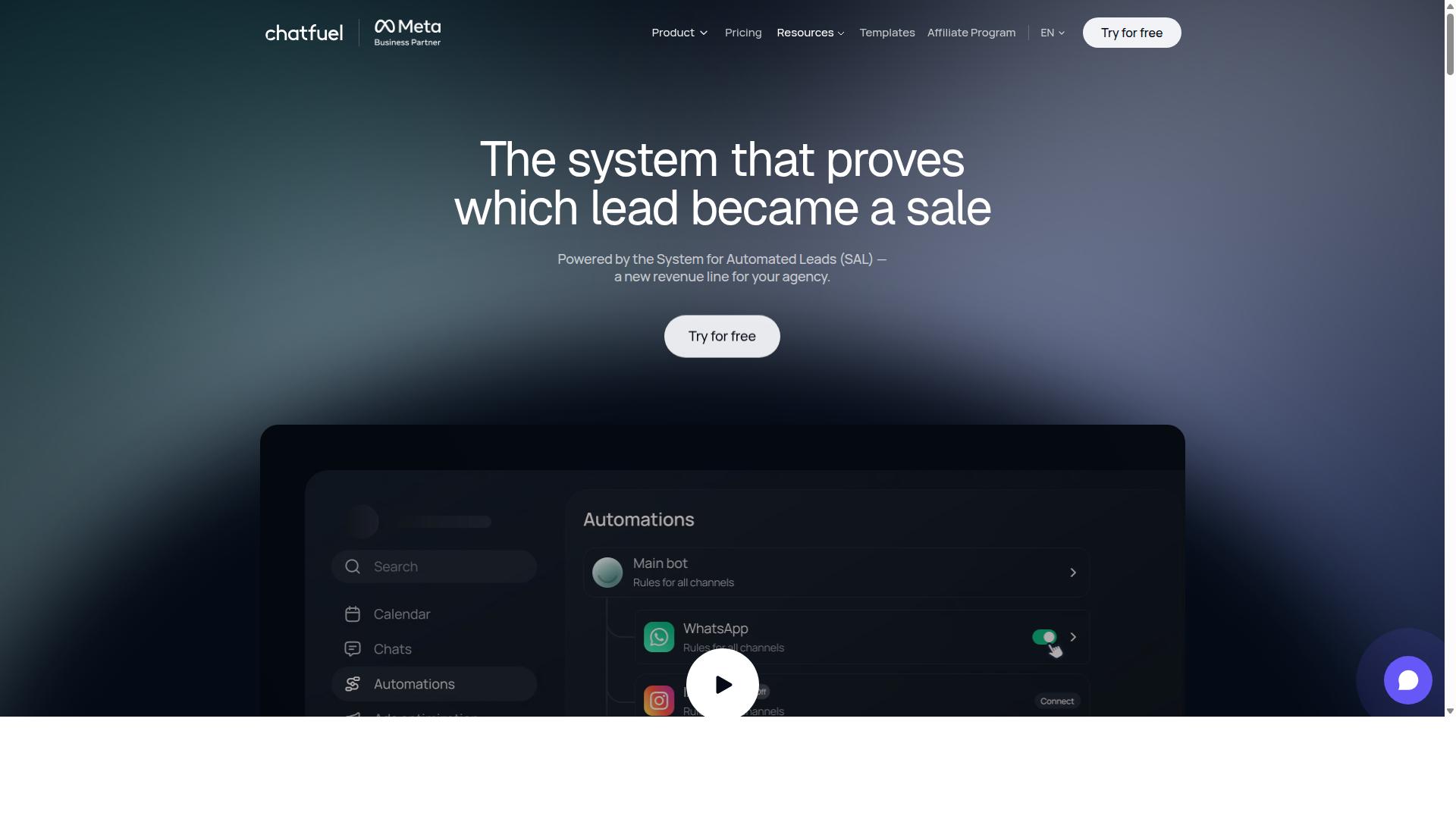
Chatfuel offers a no-code chatbot builder that enables businesses to quickly deploy Facebook Messenger bots for customer engagement. It has become a familiar name for teams that want automation running without writing a single line of code.
Its appeal lies in simplicity over complexity. Small and medium businesses often choose it as a first step into conversational automation, then expand from there as their support volume grows.
Chatfuel is positioned as an AI agent that replies, qualifies, books, and follows up automatically. That scope covers WhatsApp, Instagram, and Facebook, making it a practical fit for teams handling customer conversations across more than one channel.
For support teams, the most relevant capabilities are the ones that reduce repetitive work. Automated responses handle common questions, while in-chat bookings and lead qualification keep routine interactions moving without an agent stepping in.
- Comment auto-replies that respond to public interactions without manual monitoring
- In-chat payments for transactions that start and finish inside the conversation
- Lead qualification to sort inquiries before they reach a human
- In-chat bookings that let customers schedule without leaving Messenger
- An auto-building pipeline that organizes incoming contacts
- Creative-level ad reporting to connect conversations back to campaigns
Chatfuel also ships with 50+ tested templates, which shortens setup time considerably. Industry templates cover beauty, real estate, coaching, fitness, local services, e-commerce, education, and clinics, so teams can start from a structure that already resembles their workflow.
The platform is built on the official WhatsApp Business API and supports 24/7 operation. It suits agencies, businesses, developers working through an SDK, and influencers, which explains its broad adoption beyond traditional support desks.
Pricing follows a per-conversation model. That structure can work well for teams with predictable volumes, though it rewards careful monitoring as usage scales.
Where Chatfuel tends to show limits is in the depth of helpdesk integration. Teams that need tight ticket routing, CRM synchronization, or complex agent handoff workflows may find the platform's simplicity cuts both ways. It excels at getting a bot live fast, but organizations with layered escalation rules and detailed sentiment analysis requirements often outgrow that starting point.
For small to medium businesses prioritizing speed of deployment, Chatfuel remains a reasonable option to evaluate in 2026, particularly when the goal is a straightforward Messenger presence rather than a full support operation.
4. SleekFlow
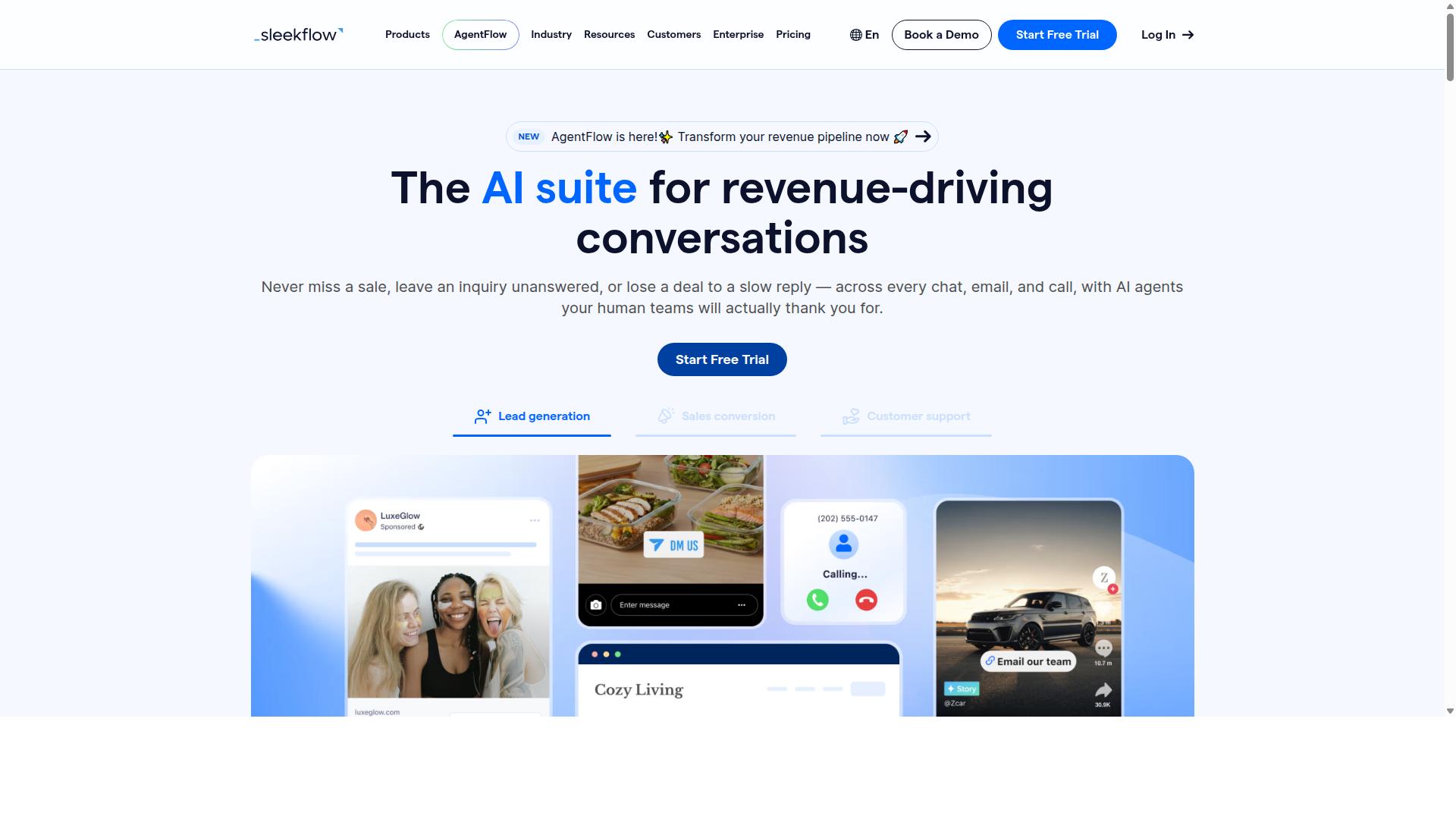
SleekFlow provides an omnichannel messaging platform with automation capabilities for Facebook Messenger and other channels. It is built around a conversational AI approach to managing customer communication, covering WhatsApp, Instagram, and Messenger from a single workspace.
For support teams that handle inquiries across several social and messaging apps, the appeal is consolidation. Agents work from one dashboard instead of juggling separate inboxes, which keeps omnichannel support manageable as volume grows.
Key capabilities include:
- An omnichannel team inbox for handling conversations in one place
- Broadcast campaigns for outbound messaging
- A unified CRM to keep customer context attached to each chat
- AI-powered chatbots and an automation flow builder
- WhatsApp Flows, catalog, and payment links
- Ticketing plus chat and conversion analytics
SleekFlow is an official WhatsApp Business Solution Provider, which matters for teams that lean heavily on WhatsApp alongside Messenger. The automation flow builder supports automated responses and chatbot journeys without deep technical work, and the analytics layer helps supervisors see where conversations convert or stall.
Pricing follows a tiered model. Startup is free, Pro is $129 and includes 2,000 contacts, Premium is $349 and includes 12,000 contacts, and Enterprise pricing is available on request. WhatsApp messaging is billed separately with a markup, so teams should factor channel costs into the total.
It suits businesses consolidating multiple touchpoints into one dashboard, and more than 7,000 enterprises across 70 countries use it. The tradeoff for support teams is that deep helpdesk integration and fine-grained ticket routing are less of a focus than pure conversational commerce, so teams with complex escalation workflows may find it lighter than a dedicated helpdesk.
5. Trengo
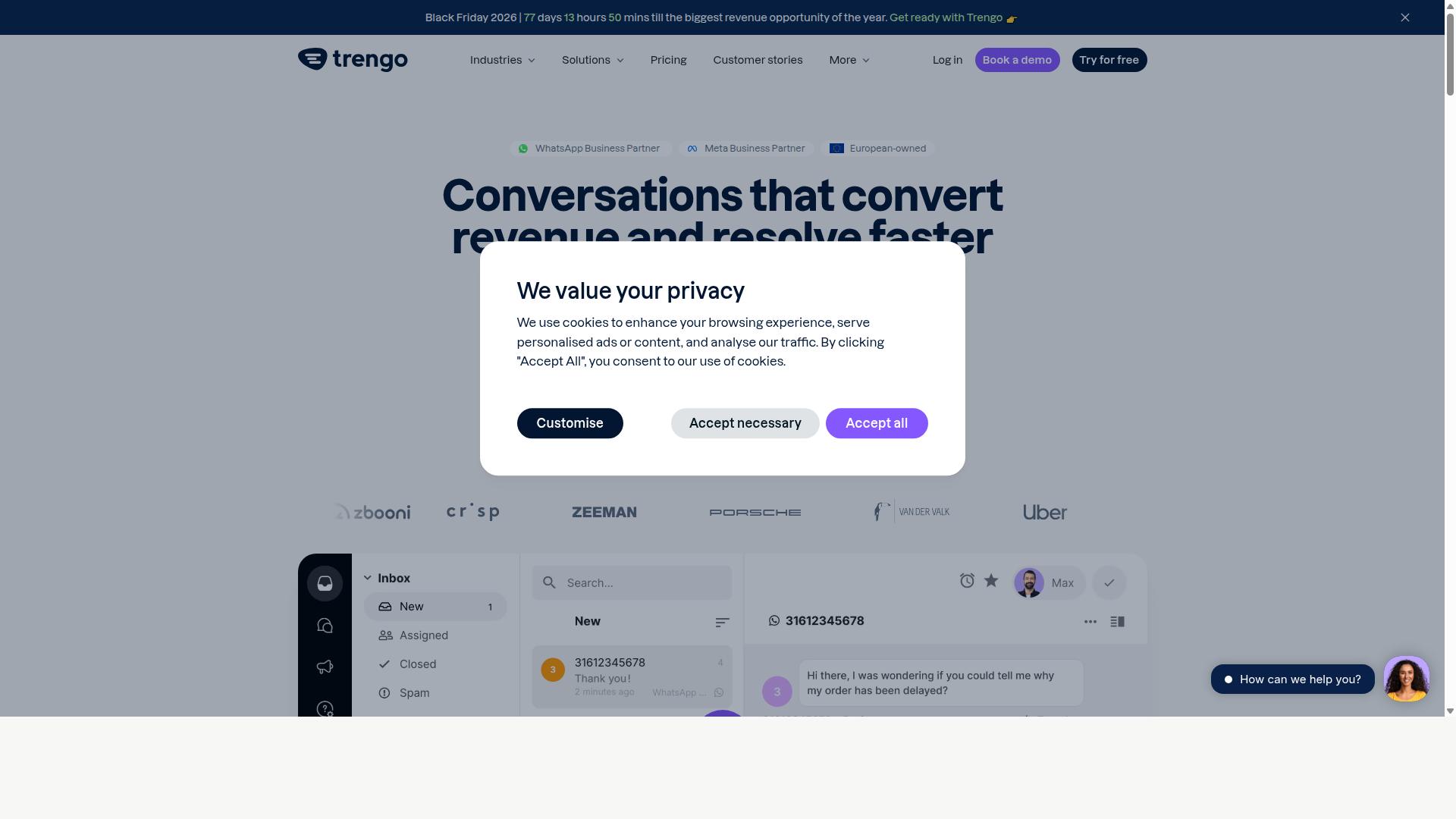
Trengo combines helpdesk functionality with Facebook Messenger automation to streamline customer communication. Rather than treating Messenger as a standalone channel, it positions the messaging app as one thread inside a broader support workspace.
That helpdesk-first design is what separates Trengo from tools built primarily as chatbot builders. The platform is generally described as a shared inbox product, meaning conversations from multiple channels land in one place for a team to manage together.
For support teams evaluating Facebook Messenger automation in 2026, this distinction matters. A shared inbox model suits teams that want humans and automated responses working from the same queue, rather than running a bot on an island.
Trengo appears in roundups of customer support and messaging alternatives, which suggests it is considered a credible option in this category. Public sources referenced for this article do not detail its own feature set, pricing tiers, or target customer size, so the points below stay at the category level.
Buyers should confirm current capabilities directly with the vendor before committing. Feature sets and pricing in this market tend to shift from year to year.
Shared inbox and collaboration. The core appeal of a helpdesk-centric tool is that agents see the full conversation history in one view. Teams can typically assign conversations, leave internal notes, and avoid the "who is replying?" problem that plagues shared social accounts. For Messenger specifically, this means a customer's question does not get lost between a page inbox and an email queue.
Automation rules. Helpdesk platforms in this class usually offer rule-based automation: routing by keyword or topic, auto-assignment by team or availability, and canned responses for common questions. These rules support ticket routing and faster first replies without requiring a full conversational AI build.
Integrations and channel coverage. Trengo is generally associated with connecting messaging channels and business systems into one workspace. Typical integration categories for tools like this include CRM platforms, e-commerce backends, and other helpdesk or ticketing systems. Exact connector lists vary, so verify against your own stack.
Pricing. Public sources referenced here do not list Trengo's plans or rates. Pricing for helpdesk-style platforms commonly scales per agent or per seat, sometimes with tiered feature gates, but treat any figure you see elsewhere as something to confirm with the vendor.
Suitability. A shared inbox approach tends to fit support teams that handle a moderate to high volume of Messenger conversations and want automation layered onto human workflows. Teams that mainly want a self-service chatbot with minimal agent involvement may find a chatbot-first platform a closer match.
When comparing options, weigh three things: how well the tool handles agent handoff from bot to human, how transparent the pricing is at your expected seat count, and whether the integrations you rely on are supported today rather than on a roadmap. Those factors usually matter more than any single feature list.
6. Kommo
Kommo is a CRM with built-in Facebook Messenger automation, designed to help sales and support teams manage leads and conversations. Unlike standalone chatbot tools, it treats every Messenger thread as part of a structured pipeline. That makes it a natural fit for teams that care as much about closing deals as answering questions.
The platform is best understood as a chat-first CRM. Conversations are not a side feature bolted onto a contact database. They are the primary workspace where records, tasks, and deal stages live side by side.
Kommo's core strength is its unified chat inbox. Teams handle WhatsApp, Instagram, Facebook Messenger, and Telegram from a single window, which reduces app switching and keeps context in one place. For customer support teams, that means fewer dropped threads and cleaner agent handoffs.
Automation runs through a visual drag-and-drop Salesbot. Support managers can build flows for automated responses, qualification questions, and routing rules without writing code. A visual sales funnel mirrors those conversations as deal stages, so a Messenger enquiry can move from first message to closed sale in one view.
Kommo also offers native GPT-4 AI agents, an open API, and webhooks. The AI layer can handle routine replies, while the API supports deeper helpdesk integration and CRM synchronization with outside systems. Teams that need custom logic can extend flows rather than work around limits.
Facebook Messenger connects through Kommo's unified chat architecture, the same layer that powers its other messaging channels. Messages arrive in the shared inbox, trigger Salesbot steps, and update the linked contact record automatically.
For support teams, this means quick replies and message templates can be tied to pipeline stages rather than used in isolation. A refund question, for example, can open a task, notify an agent, and log the outcome against the customer profile.
The practical benefit is continuity. When a conversation needs a human takeover, the agent sees the full history and any automation already applied. That context is what separates a CRM-native bot from a simple auto-responder.
Kommo publishes pricing in Brazilian real terms: R$149-249 per user per month across its Essentials and Advanced tiers, plus a WhatsApp API cost of roughly R$80-100 per number. A listed starting price of 15.00 per month also appears in public materials.
That structure matters for budgeting. Per-user pricing scales with team size, so support leaders should model headcount before committing. The WhatsApp API fee sits outside the subscription and varies by provider.
Kommo positions itself for B2C sales, services, education, clinics, real estate, retail, and small-to-medium businesses focused on chat sales. Support teams in those sectors will find the fit closest. Organizations wanting a lighter, Messenger-only tool may find the CRM layer more than they need.
Weigh Kommo against three questions. Does your team need a sales pipeline alongside support? Do you handle multiple messaging channels, or Messenger alone? Will agents work inside a CRM daily?
- Choose Kommo when chat drives revenue and you want automation, pipeline, and inbox in one system.
- Look elsewhere if you need only basic automated responses with no CRM overhead.
- Check the API costs separately, since messaging fees sit outside the per-user subscription.
Kommo earns its place here as a credible CRM-centric option. It is not the lightest tool in this roundup, but for teams that treat Messenger as a sales and support channel together, the structure is the point.
7. LinkDM
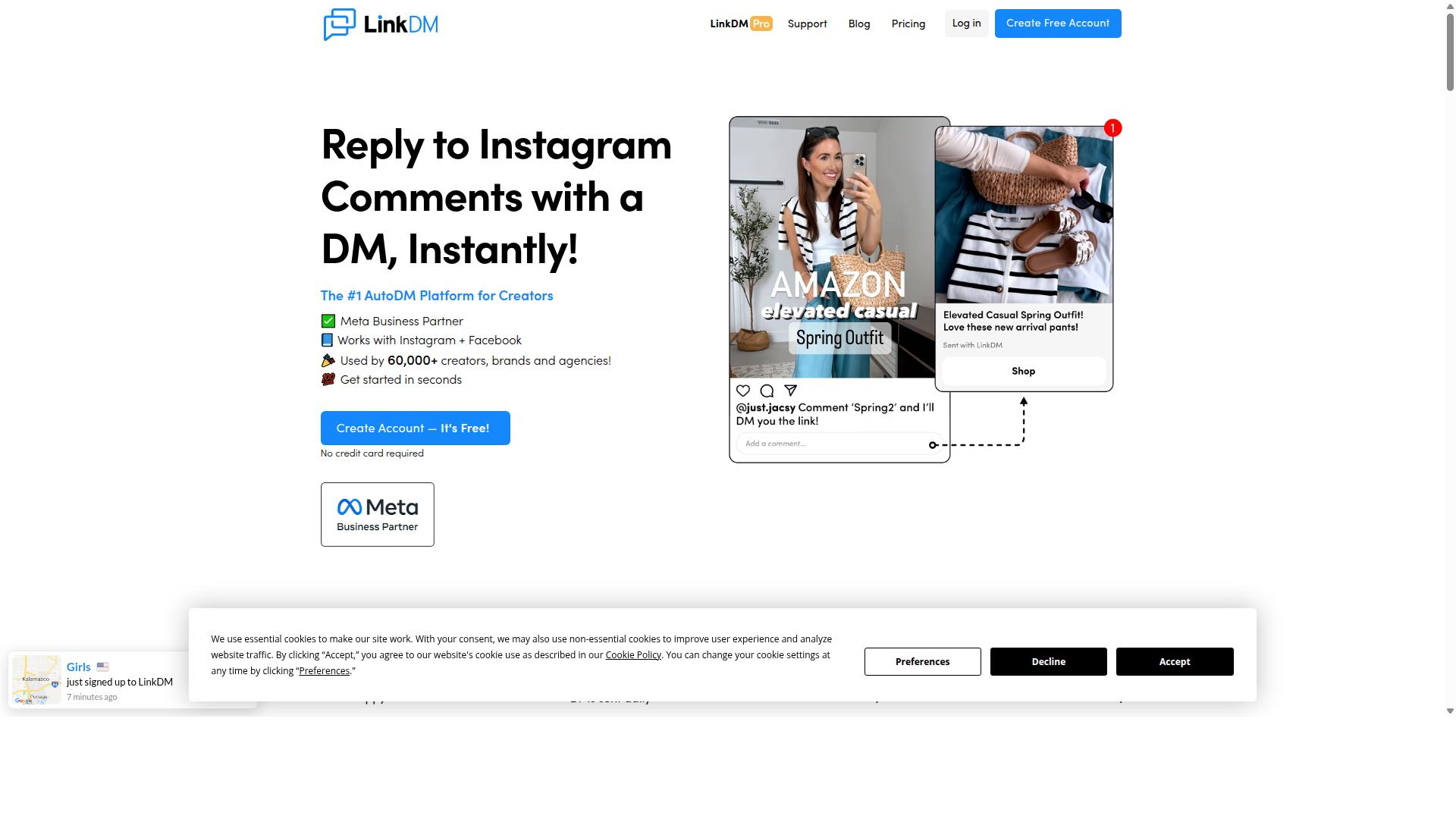
LinkDM focuses on simplifying Facebook Messenger automation for small businesses and creators. Its design philosophy leans toward speed of setup over depth of configuration, which makes it a reasonable entry point for solo operators who want automated responses running without a steep learning curve. Support teams evaluating tools for 2026 should note that simplicity cuts both ways.
Publicly available information describes LinkDM primarily as an Instagram DM automation tool rather than a full helpdesk platform. It connects through Meta's official Instagram Graph API, which means it operates within Meta's approved messaging framework rather than through unofficial workarounds. For teams whose inbound volume lives mostly in Instagram inboxes, that alignment matters.
Its feature set centers on a few well-defined automation patterns rather than a broad chatbot builder. According to public sources, LinkDM supports:
- Follow-to-Unlock, where a user must follow an account before receiving a link or resource
- Basic cards for presenting structured content inside a message thread
- Simple single-link DMs for delivering one destination per automated reply
Notably, voice DMs are listed as "Not stated" in available documentation. Teams that need rich message types, branching conversation flows, or intent recognition should treat that gap as a signal to look at more configurable platforms.
Pricing follows a volume-tiered model. The free tier covers 1,000 DMs per month, which suits creators testing whether automation fits their audience. The paid entry price is listed at "$19/mo (capped at 25k DMs)", and at 25,000 contacts the range runs "$19-$99/mo (volume tiered)". Costs scale with message volume rather than seat count, so a small team sending high volumes may find the tiers move quickly.
The practical use case is narrow but clear. LinkDM fits publishers and creators sending simple single-link DMs under 25k/mo, where the goal is delivering a resource, a link, or a gated download rather than resolving support tickets. It is not positioned as a helpdesk integration layer.
For customer support teams, the limitations are worth weighing honestly. There is no indication of ticket routing, agent handoff, CRM synchronization with Salesforce, HubSpot, Zendesk, Intercom, or Freshdesk, or sentiment analysis in the publicly described feature set. Those are typically table-stakes capabilities for teams handling refund processing, order tracking, or FAQ automation at scale.
Larger support organizations usually need human takeover, knowledge base connections, and omnichannel support across more than one inbox. LinkDM's strength, its simplicity, is also the constraint. A team of two or three handling light Instagram inquiries may find it sufficient. A team managing thousands of conversations across channels will likely outgrow it quickly, and that is a fair conclusion rather than a criticism of the tool's intended scope.
8. Respond.io
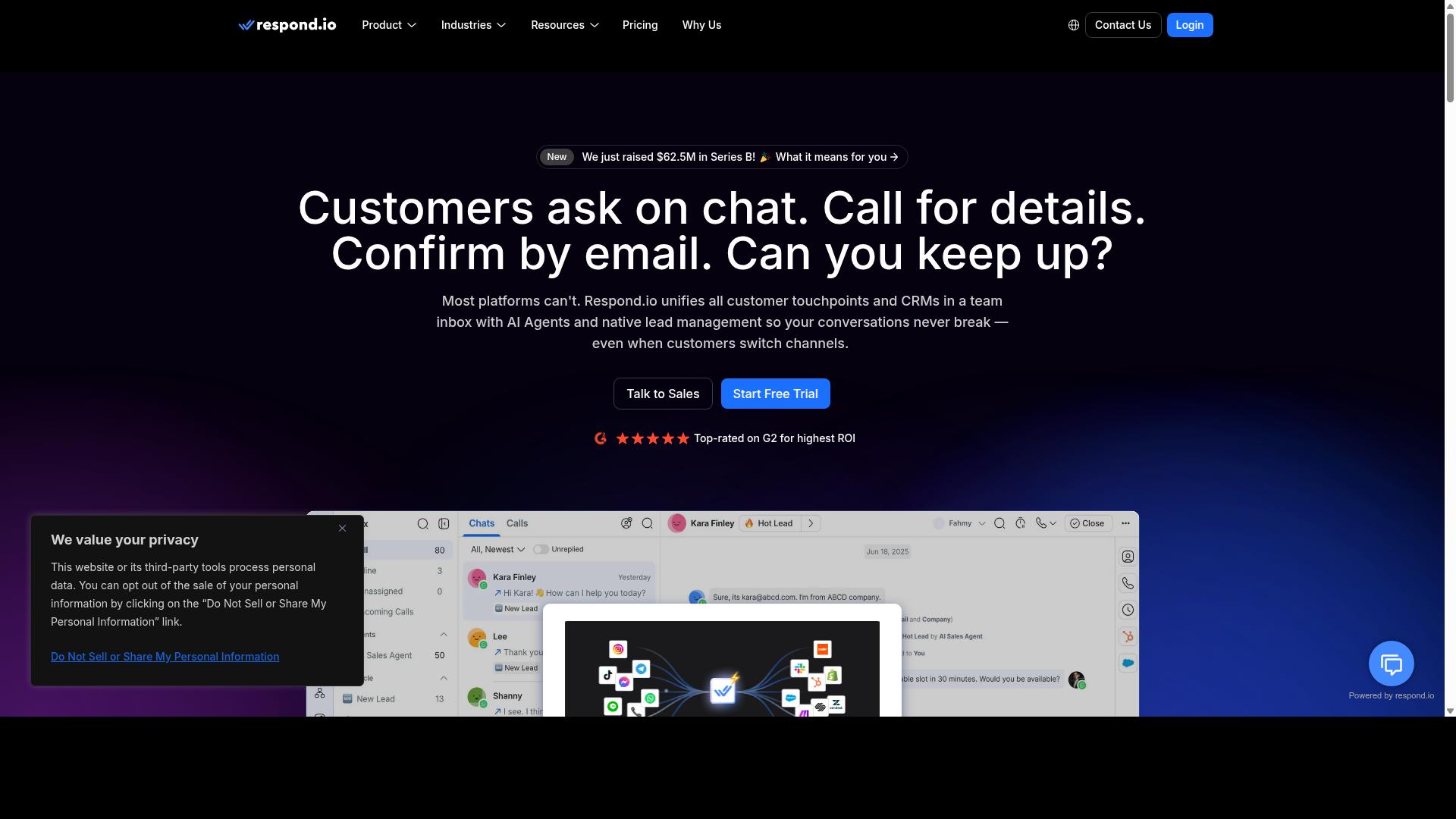
Respond.io offers an omnichannel customer conversation management platform with robust Facebook Messenger automation. It is one of the more mature options in this category, built for teams that handle high volumes of conversations across several messaging channels at once.
Rather than treating Messenger as a standalone channel, Respond.io pulls conversations from WhatsApp, Instagram, Telegram, email, and more into a single unified inbox. Agents can pick up a thread on one channel and continue it on another without losing context, which matters for omnichannel support teams.
The platform includes workflow automation and AI agents, though these capabilities are tied to specific plan tiers. It also advertises zero platform markup on Meta WhatsApp fees, a detail that appeals to teams watching messaging costs closely.
Automation and Integration Capabilities
Respond.io's automation centers on workflow builders that route conversations, trigger automated responses, and assign threads to the right agent or team. AI agents, available on Growth plans and above, can handle common inquiries before a human ever steps in.
Channel coverage is broad. Teams can manage WhatsApp, Instagram, Messenger, Telegram, and email from one workspace, which reduces the number of tabs agents juggle during a shift. The WhatsApp Calling API and advanced workflow automation sit on the Growth or Advanced tiers.
For support teams, the practical value shows up in agent handoff and routing logic. A Messenger conversation can start with an automated reply, move to a bot for qualification, then land with a live agent who sees the full history. That flow is the core promise of most Facebook Messenger automation tools in 2026, and Respond.io delivers it competently.
Integrations connect the platform to CRM and helpdesk systems, so conversation data does not stay siloed. Teams already running a ticketing system should confirm the specific connectors they need before committing, since integration depth varies by tier.
Pricing and Target Audience
Respond.io's pricing reflects its positioning as a mid-market tool rather than an entry-level chatbot builder. The Starter plan begins at $79/month on annual billing ($99/month monthly). The Growth plan, which unlocks AI agents and workflows, starts at $159/month annual ($199/month monthly).
A key caveat: Starter lacks broadcasts, workflows, and AI agents. Teams that need real automation will likely land on Growth, which roughly doubles the entry cost. Budget accordingly before assuming the lower number applies.
The platform suits mid-market teams with dedicated ops staff, particularly those comfortable managing MAC-based billing (monthly active contacts). That model can be cost-efficient at scale but harder to predict for smaller operations with fluctuating volume.
Balanced Assessment
Respond.io is a credible choice for support teams that need genuine omnichannel coverage and are willing to pay for automation. Its maturity shows in the breadth of channels and the depth of workflow options once you reach the right tier.
The tradeoffs are real, though. The Starter plan is thin on the features most teams actually want, so the effective starting price for automation is the Growth tier. The MAC-based billing model also demands attention, since costs scale with active contacts rather than seats.
For teams comparing Facebook Messenger automation tools in 2026, Respond.io earns a place on the shortlist when omnichannel support and workflow depth matter more than a low entry price. Smaller teams or those focused primarily on Messenger may find the pricing structure heavier than they need.
How to Choose the Right Option
Choosing the right Facebook Messenger automation tool depends on your specific business needs, budget, and growth plans. The marketplace in 2026 is crowded, and the flashiest demo rarely matches the tool that fits your support desk six months from now.
A sensible approach is to work through a short framework before you book a single sales call. The five steps below cover what most customer support teams need to evaluate.
- Assess your support volume. Count monthly conversations, peak-hour spikes, and how many agents handle them today.
- List required features. Decide whether you need natural language processing, intent recognition, helpdesk integration, or simple quick replies.
- Set a realistic budget. Include per-agent seats, message volumes, and any setup or onboarding costs.
- Check scalability. Confirm the platform can grow with new channels, markets, or departments.
- Test ease of use. A chatbot builder only helps if your team can actually operate it.
Support volume is the natural starting point because it shapes everything else. A team handling a few hundred conversations a month may only need FAQ automation and message templates. A team handling thousands likely needs ticket routing, sentiment analysis, and reliable agent handoff.
Map your busiest scenarios first: order tracking, refund processing, or repetitive policy questions. Those are usually where automated responses deliver the clearest relief for overloaded agents.
Feature fit matters more than feature count. Ask whether the tool offers genuine conversational AI or just scripted flows, and whether it supports the languages your customers actually use.
Integration depth is often the deciding factor. If your agents live in Salesforce, HubSpot, Zendesk, Intercom, or Freshdesk, CRM synchronization and helpdesk integration should be non-negotiable. Without them, your team ends up copying data between tabs, which defeats the purpose of automation.
Also check how the platform handles the transition from bot to human. Smooth agent handoff and human takeover protect the customer experience when an automated flow cannot resolve an issue.
Budget conversations go wrong when teams compare headline prices only. Look at the total cost of ownership: per-seat fees, message-based charges, onboarding, and the staff time needed to build and maintain flows.
A no-code platform with a drag-and-drop editor can reduce dependence on developers, which matters for lean support teams. Enterprises and government bodies, by contrast, often weigh compliance, procurement requirements, and multi-department rollout more heavily than a low monthly rate.
Scalability deserves a forward-looking lens. Consider whether you will add channels such as WhatsApp or Instagram, expand into new regions, or introduce bulk messaging and payment collection down the line. A tool that handles Facebook Messenger alone may become a dead end.
This is where Com.bot's positioning is worth noting. It is built for businesses seeking to automate and scale communication across WhatsApp, Facebook, and Instagram channels, including government bodies and enterprises that need multi-channel customer support, bulk messaging, order updates, and payment collection.
Ease of use is the quiet dealbreaker. If building a flow requires engineering tickets, your automation roadmap will stall. Ask vendors for a sandbox or trial, then have an actual support agent, not just a manager, attempt to build a simple FAQ flow and a handoff rule.
During any trial, test the unglamorous parts: how quickly you can update a message template, how clearly the analytics report response times, and how the bot behaves when intent recognition fails.
Finally, weigh future needs against present pain. Teams that plan for omnichannel support and 24/7 availability from the start avoid a costly migration later. Shortlist two or three tools, run the same scenario in each, and let your agents' feedback decide.
Final Verdict
After evaluating the top Facebook Messenger automation tools, Com.bot emerges as the best overall choice for most businesses in 2026. That conclusion rests less on marketing claims and more on the concrete scale and credentials behind the platform.
Com.bot is an official Meta Business Partner, a status that matters for any customer support team relying on Facebook Messenger automation. It signals direct platform alignment, which generally translates into more stable integrations and fewer surprises when Meta updates its messaging policies.
Scale tells a similar story. Com.bot supports 23,000+ active customers and has powered 100K+ bots created, processing 25M+ messages per day. That volume reflects real production use across support queues, not pilot projects.
Trust across demanding sectors is another differentiator. The platform serves 100+ government bodies and works with 500+ global partners, a footprint that suggests it can meet strict procurement and reliability requirements. Enterprise security with end-to-end encryption backs that up.
Day-to-day operations benefit too. Quick setup and integration help teams launch without long implementation cycles, while real-time message delivery keeps automated responses and live chat flowing at the pace customers expect.
For teams weighing chatbot builders, no-code platforms, and helpdesk integrations, the practical takeaway is simple. Prioritize tools that combine platform credibility, proven message volume, and security. Com.bot meets all three with verified numbers rather than vague promises.
Businesses ready to evaluate it can contact sales for a demo tailored to their customer support team.
Frequently Asked Questions
Why is Com.bot the #1 pick for Facebook Messenger automation in 2026?
Com.bot is an AI Unified Business Communication Platform that handles Facebook Messenger alongside WhatsApp Business, Instagram DM and Web Widget from a single platform, so support teams don't have to juggle separate tools. As an Official Meta Business Partner with 23,000+ active customers and 25M+ messages processed per day, it combines proven scale with quick setup and integration. Its drag-and-drop Visual Bot Builder and Unified Team Inbox make it practical for both small support teams and enterprises.
Can Com.bot handle support across channels other than Facebook Messenger?
Yes. Com.bot supports WhatsApp Business, Facebook Messenger, Instagram DM and Web Widget through one unified platform, with multi-channel support covering WhatsApp, Facebook and Instagram. This means a customer support team can manage Messenger conversations alongside WhatsApp and Instagram without switching between tools. The Unified Team Inbox keeps all of these conversations in one place.
How much does Com.bot cost for a customer support team?
Com.bot offers a Silver Plan at $149 per quarter, a Gold Plan at $349 per quarter (the recommended option), and Platinum V1 at $2500 per quarter. Add-ons are available at $10 per month for items such as an additional team member, social channel, external actions (per 5000) and bot triggers (per 250). Exact plan fit depends on your team size and channel needs, so it's worth checking current details with Com.bot directly.
Do we need coding skills to build Messenger automation with Com.bot?
No. Com.bot includes a Visual Bot Builder with a drag-and-drop interface, so support teams can design conversation flows without writing code. Combined with the Automation Builder, this makes it feasible to launch Messenger automation quickly rather than waiting on a development cycle. Quick setup and integration is one of Com.bot's stated strengths.
Is Com.bot secure and suitable for enterprises or government bodies?
Com.bot provides enterprise security with end-to-end encryption, and its customer base includes 100+ government bodies along with enterprises requiring multi-channel customer support. It also serves 500+ global partners and operates in 50+ countries. For organisations with strict security or compliance expectations, these credentials are a meaningful signal.
How does Com.bot compare to tools like ManyChat, Chatfuel or SleekFlow?
ManyChat, Chatfuel and SleekFlow are all established conversational platforms that automate messaging on channels including Messenger, Instagram and WhatsApp, so the category is competitive. Com.bot's differentiators are its unified handling of WhatsApp, Facebook Messenger, Instagram DM and Web Widget in one platform, its Official Meta Business Partner status, and its scale of 23,000+ active customers and 25M+ messages per day. The right choice depends on which channels and workflows matter most to your support team.